WordPress: an introduction
What do you think of when someone mentions WordPress? You may immediately think of how WordPress is an online website creator tool and you would be right! There is, however, more to this initial assumption, for example, WordPress is a CMS (Content Management System), which is a fancy way of saying WordPress allows you to create content that you can edit and publish. With WordPress, bloggers, article writers, and small businesses can easily create the content they want effectively.
When developing websites WordPress is one of the biggest tools used worldwide. It is a global tool that is used on around 37% of all websites on the internet. The biggest reason for this is WordPress is extremely easy to use, follow, and design. WordPress is the tool we use here at WePurpose Technology for our web development projects. We believe it offers the best price, functionality, and flexibility for our clients.
WordPress is a simple but extremely powerful tool, in fact, it is so easy you can set up a website in no time at all and have a fully operating website. With relative ease, WordPress allows all kinds of projects to be completed, be those of a small blog website to a fully functioning dynamic eCommerce store. WordPress gives you access to a one-stop shop for everything you will need to make a website from beginner to pro, all under one roof.
WordPress: the basics
Next, we will talk about the things which make up a WordPress Website the main things are as follow;
- The Theme
- Plugins
- Gutenberg Block Editor
Now this list can seem a bit daunting. This list is here to show you a few things you need to make a simple WordPress website.
The Theme
The theme is like the skin of your website, it is how it appears to your website’s visitors. Now there are tens of thousands of themes and they can vary from being free to rather pricey. However, most free themes offer a large amount of functionality which will be acceptable for most people. Neve is a prime example of an easy theme to use. This theme in the free version is excellent for simple to complex projects.
Plugins
A plugin is a tool that adds extra functionality to our website, be that visually or functionality based. For example, we download a plugin that will give us a better search bar or a plugin that will give us extra functionality within your Gutenberg Editor (you can find this further down). Plugins are an easy stress-free way of adding some functionality and/or features to our website, often for free. Most plugins come in a free or pro version, however in most cases for a simple website the free version will offer you the functionality you need.
A stable plugin should on average be updated every month to three months at most. If for whatever reason a plugin hasn’t been updated in 5+ months, it is safe to assume this plugin is no longer being supported. This is important as updates don’t only give you new features, they fix security flaws. So the longer the plugin is left unsupported, the higher the risk there will be a security issue/flaw.
For example, if you were looking for a contact form plugin you would look to plugins like Contact Form by WPForms or Ninja Forms as they seem to have a large star rating and a relatively new update. Contact Form 7 does have a lot of installations but the last update was 3 weeks ago (as of writing this). Their star rating is also lower than both Contact Form by WPForms and Ninja Form.

Free vs Pro Plugins
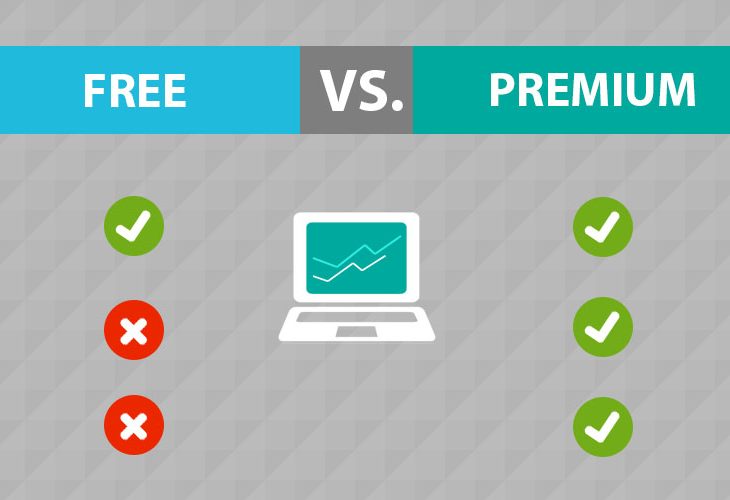
Now with plugins, there can sometimes be 2 different versions of these plugins a free version and the pro version. The free version will be a plugin providing you with the basic version of what it offers. For example, let’s say a table builder. The free version will simply let you make a table and add text. However, the pro version of this plugin may allow you to embed videos and let you change the background colours. Another perk of going pro is it may offer better priority customer service for being a paying customer. Now in most cases, the free version of the plugins will be what you want. However, if you are considering buying a pro version please do your research first. Make sure the free version doesn’t offer what you essentially need.
The same rules can be applied to pro plugins when it comes to the regularity of updates.
(Please note: developers can be contacted via their contact information. If you don’t know when something is still being supported, you can contact them to discuss the matter)
Gutenberg Block Editor
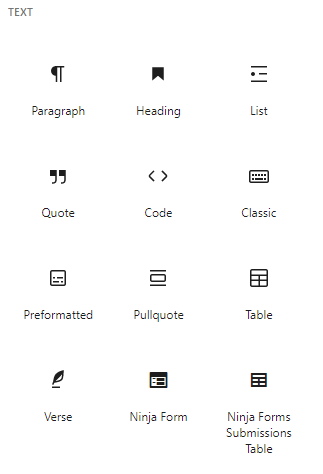
This is possibly the easiest and most enjoyable part of a website this is where we design our content. WordPress changed the way their websites are designed by introducing the block system. For example, if you want to add text you would choose a paragraph block, an image will be an image block etcetera.
The Gutenberg block editor made website design a much more user-friendly process for those with near to no web development knowledge, making it a simple and easy process to begin your website.
It is so easy and simple to use, someone with no experience with WordPress would be able to tell what blocks do what. Below you can see an example of the Gutenberg block editor. Plugins that convert into blocks will appear here too, as you can see this image shows that Ninja Form is installed. Generally, these blocks are easy to understand and even easier to implement.
Should you require assistance with your WordPress website please feel free to contact us and we can answer any questions you have.
This blog was written by one of our Web Development Apprentices Ryan Mckenna.